Homework practice shouldn't take an hour to prepare.
Photograph your child's notes or a textbook page. Make My Quiz reads it and hands back a printable practice quiz — questions and answer key included — in under a minute.
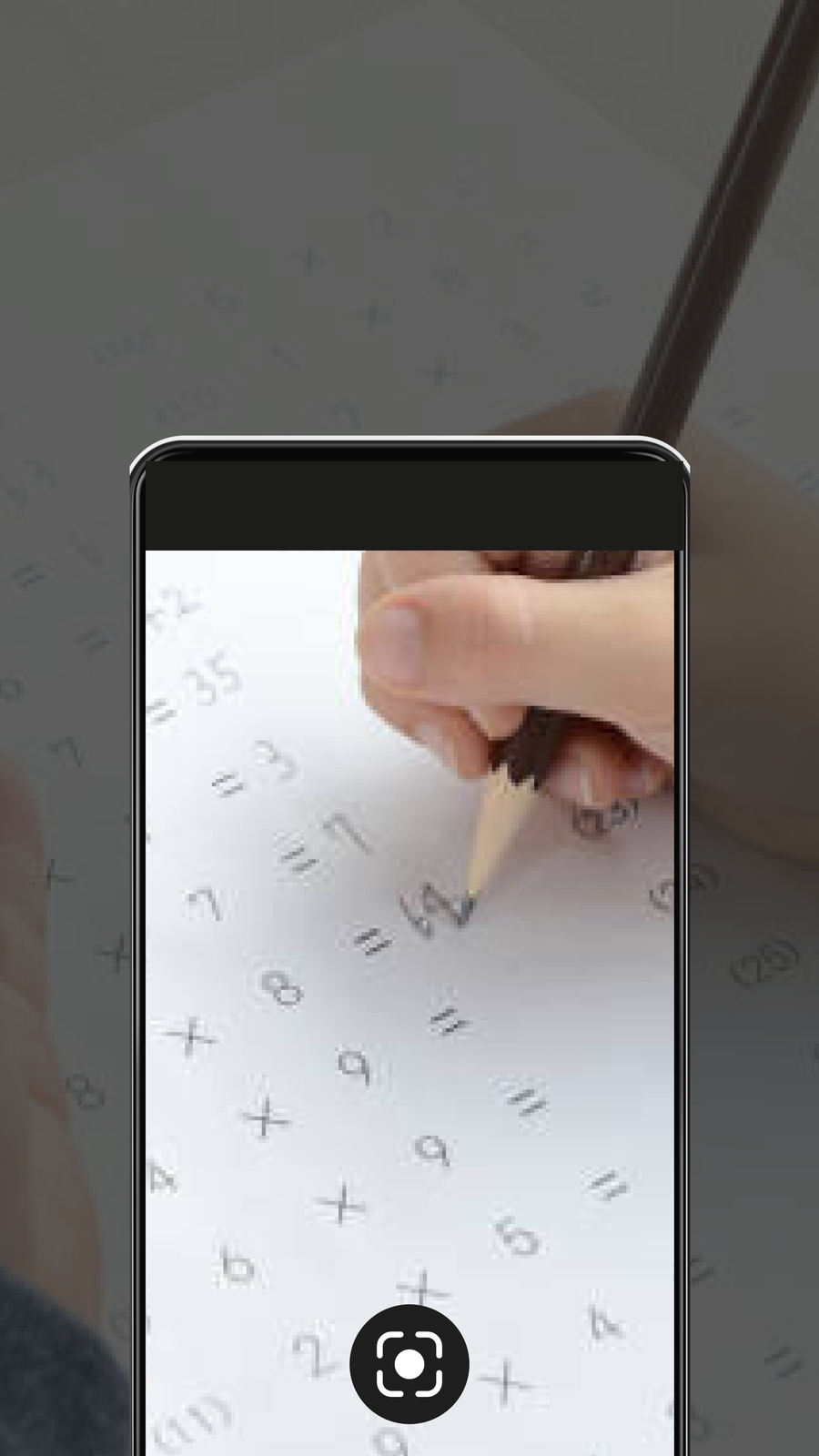 reading the page…
Four steps, no lesson planning.
Capture
Photograph a worksheet, notebook page or textbook chapter. Handwritten or printed, both work.
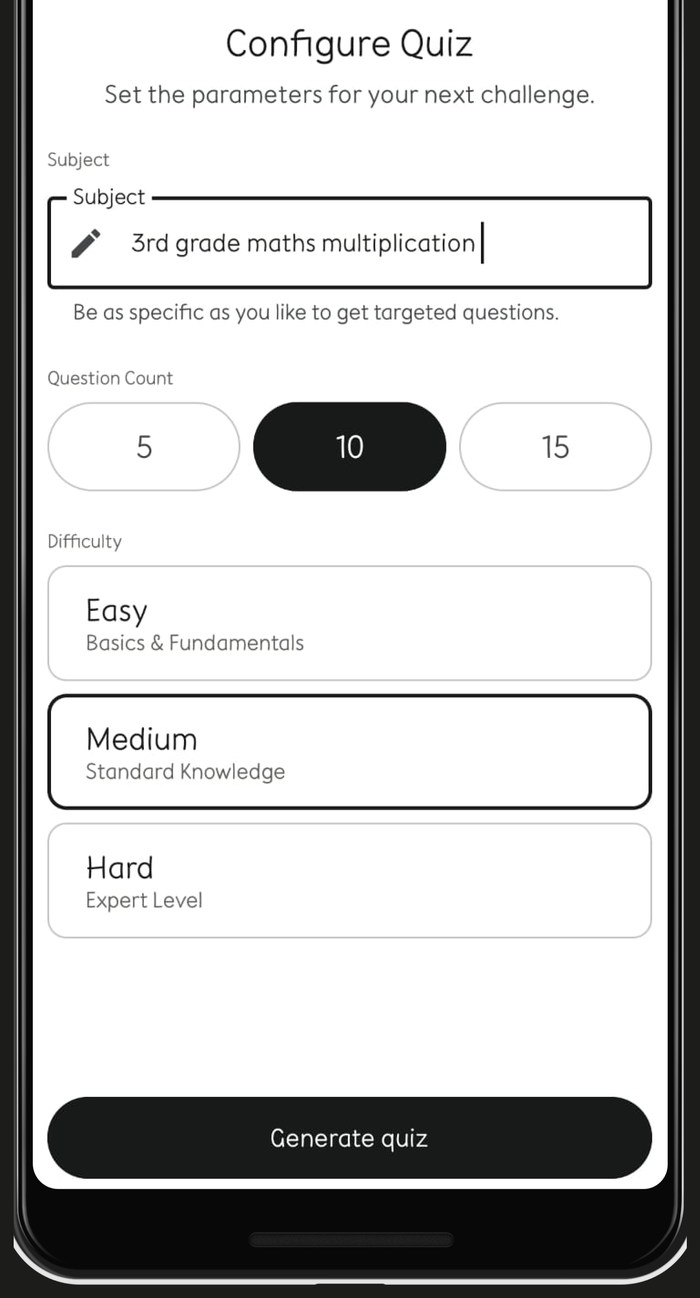
Configure
Choose how many questions and how hard they should be. Ten questions, medium difficulty — two taps.
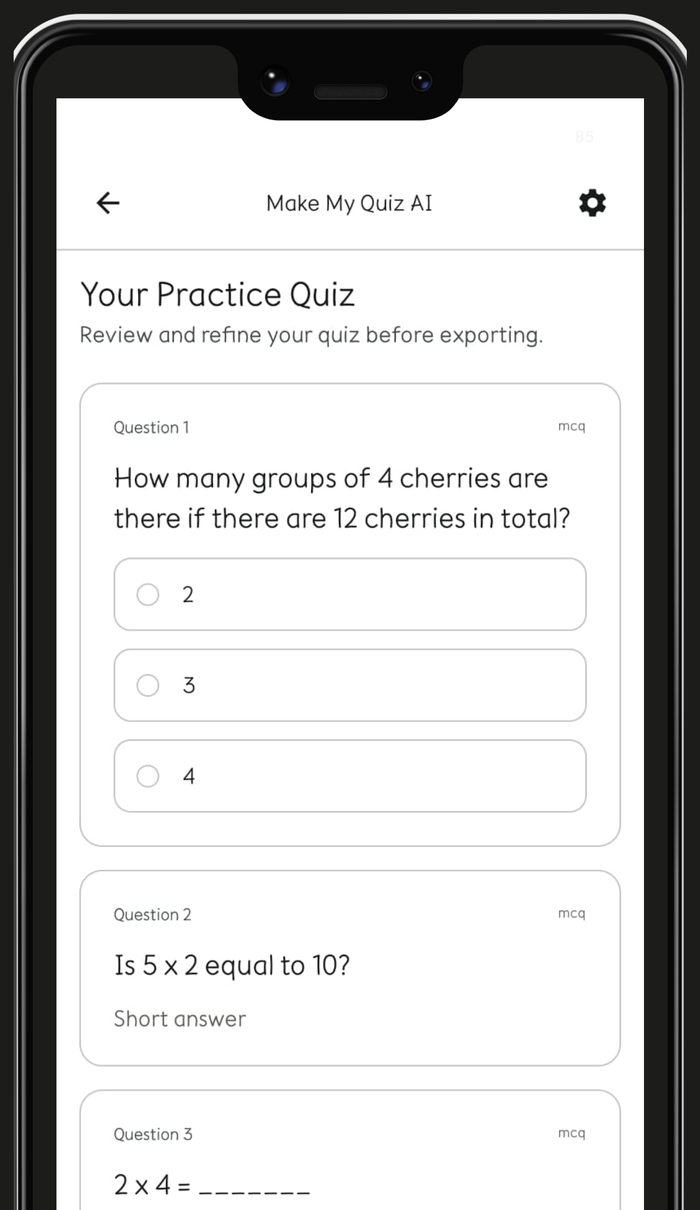
Generate
The quiz appears in seconds, matched to what was actually on the page — not a generic question bank.
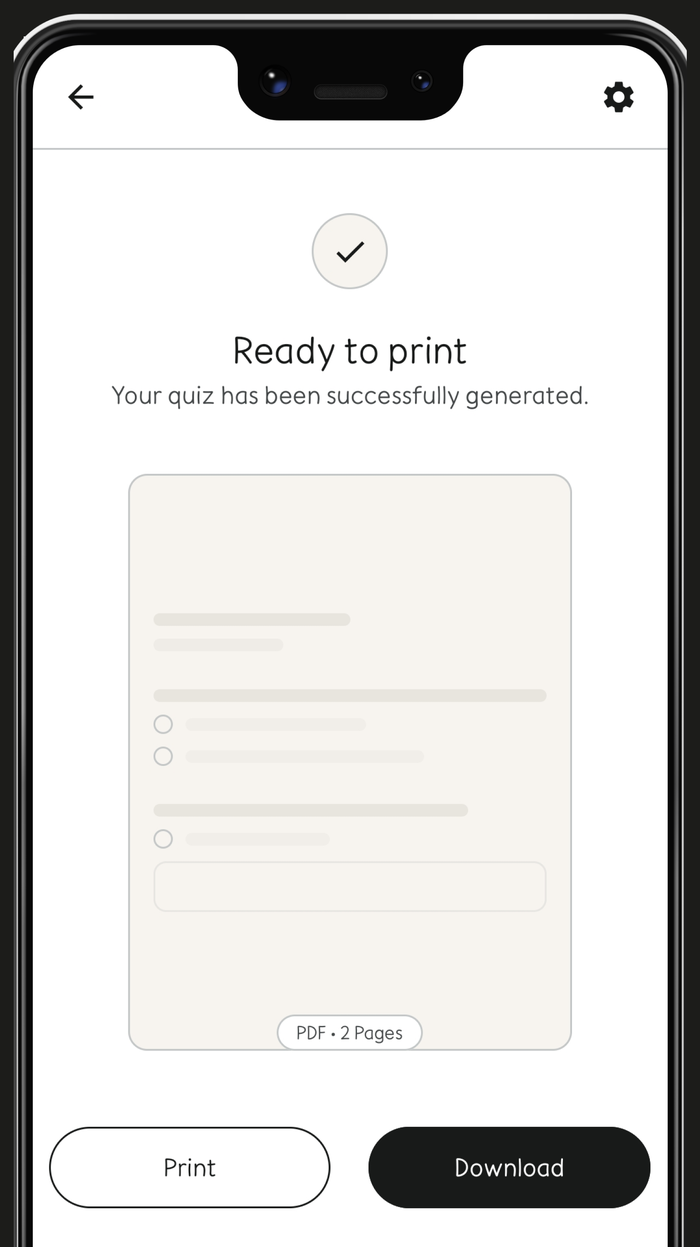
Export
Download or print, answer key included. Ready for the kitchen table.
Math, English and Science — grades 1 through 5.
One shared quiz format across all three subjects, so review works the same way no matter what your child is studying this week.
Math
From times tables to measurement — questions pull real numbers and units straight from the page you photographed.
English
Comprehension, vocabulary and grammar, with reading passages carried over when the source material has them.
Science
Fact-based multiple choice and short answer questions drawn from whatever chapter your child is covering.
Made for parents first, not classrooms.
No sign-in for your child
Make My Quiz is something you use for your child, not an account they log into. One app, one parent, done.
Reads handwriting, not just print
Most photo-to-quiz tools expect a clean textbook scan. Ours is built to handle a child's actual handwritten notes.
5 free quizzes before you need to subscribe.
Capture, generate and print — the full flow, five times over, at no cost.